
CloudFormation Stacks
CloudFormation Stacks lets you provision and manage AWS infrastructure as code directly from QuickInfra. Use QuickInfra's pre-built templates, bring your own CloudFormation script, or let the AI generate one from a description — then deploy, update, or tear down stacks in your AWS account with a single action.
What is CloudFormation Stacks?
AWS CloudFormation is an infrastructure-as-code service that lets you define and provision cloud resources using declarative YAML or JSON templates. A stack is a single deployment unit — a collection of AWS resources that are created, updated, and deleted together as defined in the template.
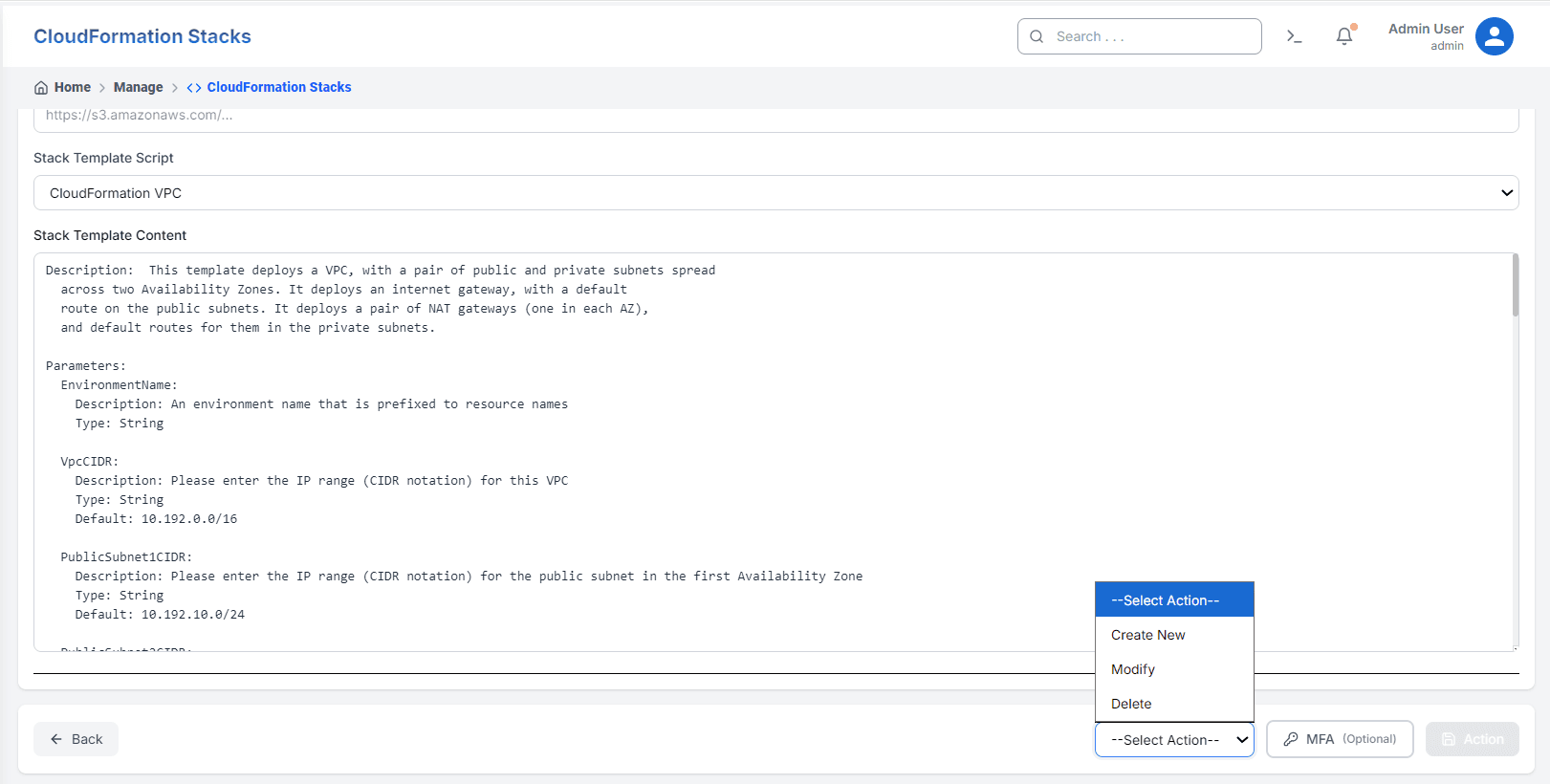
QuickInfra's CloudFormation Stacks section gives you a full stack management interface without needing direct AWS console access. You can list existing stacks, create new infrastructure from a template, modify running stacks, and delete stacks when they are no longer needed — all from within QuickInfra. The template content is fully visible and editable before execution, giving you complete control over what gets deployed.
Three Ways to Use a Template
QuickInfra gives you three approaches to getting a CloudFormation template ready for deployment — use whichever fits your workflow.
- Pre-built Templates — QuickInfra ships with a library of ready-to-use CloudFormation templates for common infrastructure patterns — VPCs, subnets, EC2 instances, security groups, and more. Select one from the Stack Template Script dropdown and the full YAML content loads automatically. Review it, adjust any parameter defaults if needed, and execute.
- Bring Your Own Script — If you have written your own CloudFormation template, save it as a Custom Script of type CloudFormation in the Custom Scripts section. It will then appear in the Stack Template Script dropdown here, ready to deploy as a stack.
- AI Generator — Need a template but do not have one written yet? Use the built-in AI Generator to describe the infrastructure you want in plain English. The AI will produce a CloudFormation YAML template which loads into the editor for you to review and adjust before deploying.
How to Deploy a Stack
Key Things to Know
- CloudFormation stack operations are asynchronous — large stacks with many resources can take several minutes to reach a complete state.
- If a stack creation fails partway through, CloudFormation automatically rolls back and removes any resources it created during that attempt.
- The Modify action performs a stack update — CloudFormation calculates the difference between the current and new template and applies only the necessary changes.
- Pre-built templates are maintained by QuickInfra and follow AWS best practices — they are a reliable starting point for standard infrastructure patterns.
- AI-generated templates should always be reviewed before deployment — verify resource names, CIDR ranges, and any sensitive configuration values.