
User Profile
User Profile shows your current account details and gives you control over your personal information and security settings. Update your name and email, set your locale, and enable or disable Multi-Factor Authentication for your login.
What is User Profile?
The User Profile page is scoped to the currently logged-in user. It shows your personal information as configured in the system and lets you update what is editable. It also gives you direct control over your account security through the MFA toggle — no admin involvement required to manage your own login security.
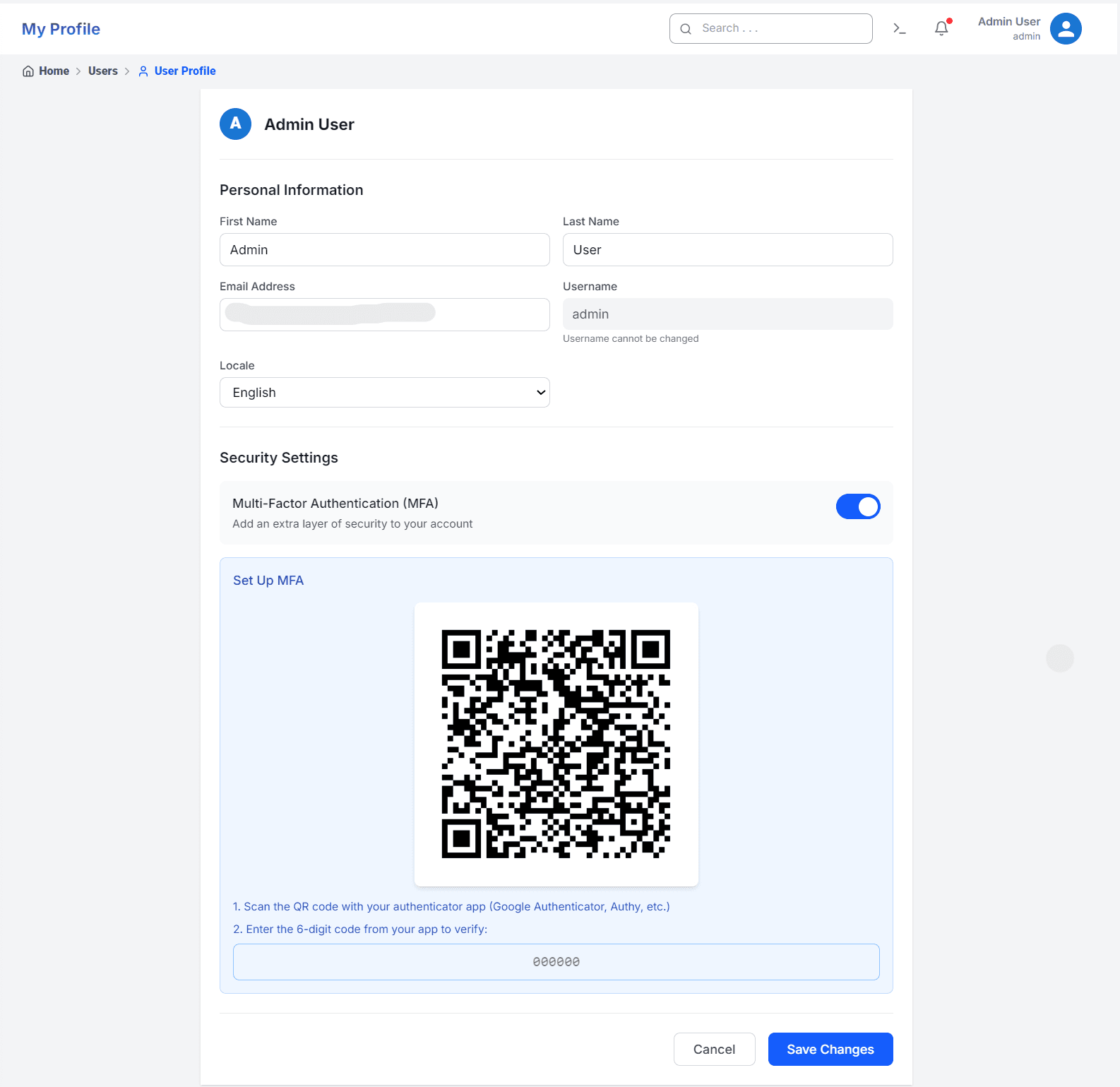
Personal Information
You can update your First Name, Last Name, and Email Address at any time. Your Username is fixed at account creation and cannot be changed. Set your Locale to control the language used across the QuickInfra interface.
Multi-Factor Authentication
Toggle Multi-Factor Authentication (MFA) on or off from the Security Settings section. When you enable MFA, a QR code is displayed — scan it with any authenticator app such as Google Authenticator or Authy, then enter the 6-digit code to verify and activate. Once enabled, your account will require the MFA code on every login in addition to your password.
Key Things to Know
- Username cannot be changed after account creation — choose it carefully when the account is first set up by an admin.
- MFA is per-user — each team member manages their own MFA setting independently from their profile.
- Changes to personal information take effect immediately after clicking Save Changes.