
Subnets
Subnets gives you a granular view of the network segments inside your VPCs. List all subnets across any cloud account and region, inspect their CIDR ranges and availability zones, and drill into each one to see exactly which instances are running inside it.
What are Subnets?
A subnet is a subdivision of a VPC — a defined range of IP addresses within the larger network that resources are deployed into. Subnets are bound to a specific availability zone and are classified as either public (routable to the internet via an internet gateway) or private (accessible only within the VPC or via a NAT gateway).
In QuickInfra, the Subnets section lists all subnets across your selected VPCs, grouped by the VPC they belong to. For each subnet you can see its name, CIDR block, the number of available IP addresses remaining, the availability zone it is in, and its current state. You can also list all virtual machine instances deployed within a subnet directly from this screen.
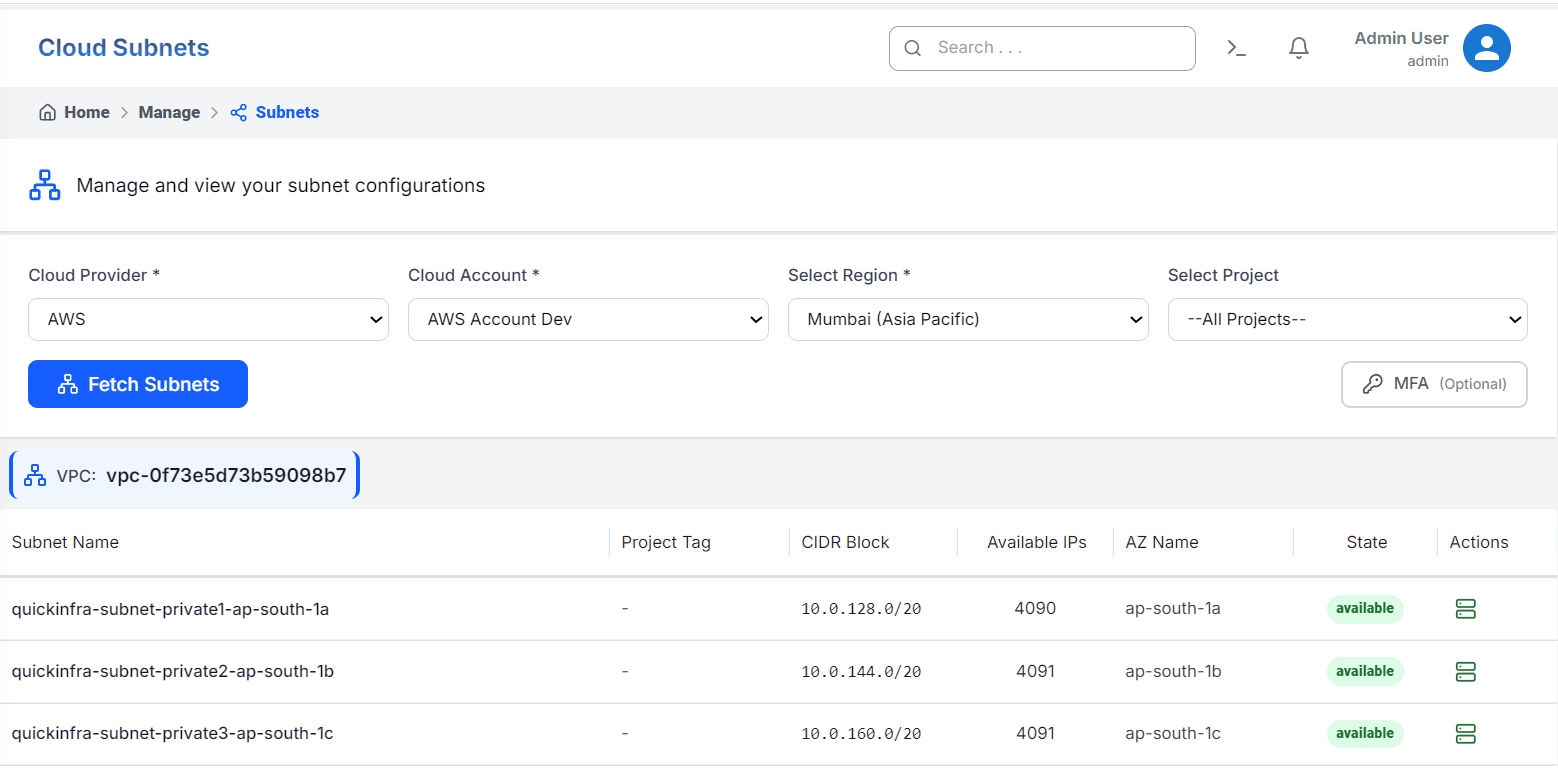
How to View Your Subnets
Understanding the Subnet List
Subnets are displayed grouped under their parent VPC. If you have multiple VPCs in a region, each VPC appears as a separate group with its subnets listed beneath it. This makes it easy to understand the complete network structure of your infrastructure at a glance — from the top-level VPC down to individual availability zone segments.
The Available IPs column is particularly useful for capacity planning. A /20 subnet provides 4096 addresses, of which AWS reserves five — leaving 4091 usable. As you deploy more instances, this number decreases. Monitor it to avoid exhausting the IP range in heavily used subnets.
Key Things to Know
- Each subnet is locked to a single availability zone — resources in different AZs cannot share a subnet.
- A subnet with 0 available IPs cannot accept new instance deployments until existing resources are removed or the subnet is resized.
- Private subnets do not have a direct route to the internet — instances inside them require a NAT gateway for outbound connectivity.
- QuickInfra recommends provisioning at least one subnet per availability zone for each environment to ensure high availability.
- Subnets with no Project Tag are typically default or manually created subnets — applying tags helps QuickInfra associate them correctly with projects.